To use the USCutter MH-MK2 with a Mac, it can work by connecting via USB, however if you run into buffering issues where some designs will not cut out correctly, we recommend you connect the MH-MK2 to your Mac using the Serial Port on the cutter.
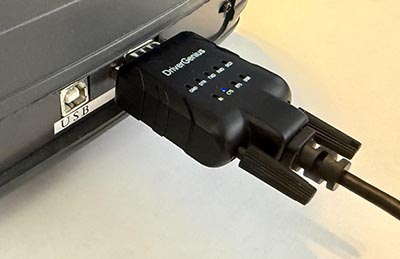
You will need a Serial to USB adapter like the Driver Genius USB to Serial RS232 Adapter. There is a USB-A and a USB-C you can choose from. All current Mac models have USB-C ports only, so the Driver Genius USB to Serial RS232 Adapter would be a good choice for Mac that have Apple Silcon Chips (M1/M2/M3 etc.).

If you use the Driver Genius USB to Serial adapter, you will need to install the PL203 Serial Driver which can be downloaded from the Apple App Store.

Connect the Serial end of the adapter into the MH-MK2 serial port and connect the USB end of the cable into your Mac.
On the MH-MK2, press the Setup button until you get to the Baud rate setting and set it to 19200.

In Sure Cuts A Lot, choose Cutter settings from the Cutter menu or click the Settings button in the cut window.

In the Cutter Settings, set the Baud rate to 19200 to match what is set on the MH-MK2.

In the Cut window, set the Model to MH, the Connection to Serial (COM) and the Port to what your Mac assigns to the adapter connection to the MH-MK2. It should look something similar to /dev/cu.PL2303G-USBtoUART110


 Cart
Cart