Setup Singer Momento WIFI Connection
With this option, the Singer Momento will be connected to your home network/router. Please note when doing this, your computer will be able to access the internet while connecting this way as opposed to the standalone direct method.
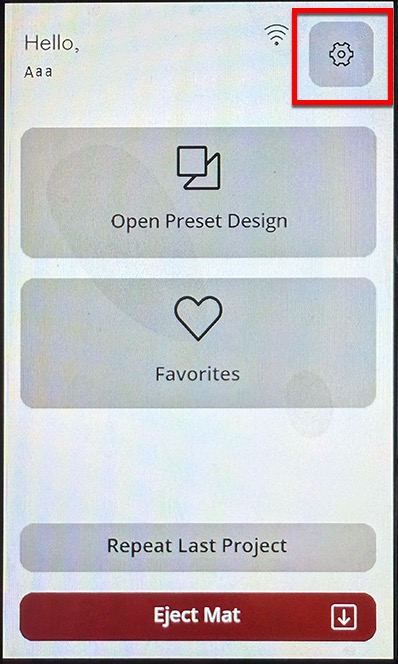
To begin, touch the Settings (Gear) button on the Singer Momento display screen.
Choose the Wifi option.

Touch the
"Other Network" button and your Singer Momento will beging to scan for all available networks it sees.

Choose the name of your network you want to connect to and then enter the password for your network.

If successful, an IP address will be assigned to your Singer Momento, which we will use in Sure Cuts A Lot.In our example, our home network router assigned 192.168.1.111 to our Singer Momento (On your network, the IP address will most likely be different but may look similar)

In the Cut window in Sure Cuts A Lot, set the Connection to TCP/IP (Wi-Fi) and then for the Port, type in the IP address shown on the Singer Momento display.


 Cart
Cart