Setup Singer Momento Direct Standalone WIFI Connection
With this option, the Singer Momento will create its own network to allow you connect directly. Please note when doing this, you will not be going through your home network/router and your computer will not be able to access the internet while connecting this way. In order to maintain internet connectivity, you will need to connect your Singer Momento to the network/router.
To begin, touch the Settings (Gear) button on the Singer Momento display screen.
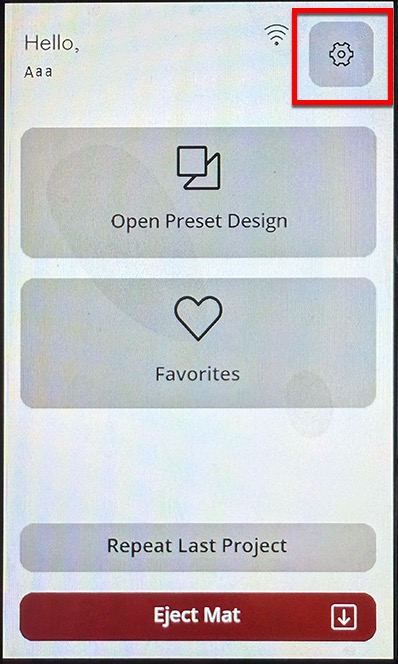
Choose the Wifi option.

You can now see the IP address and SSID of your Singer Momento for direct connection. You will need to connect your computer's wifi to this SSID name and you will need to enter the IP address into the cut window in Sure Cuts A Lot in the next couple steps shown.

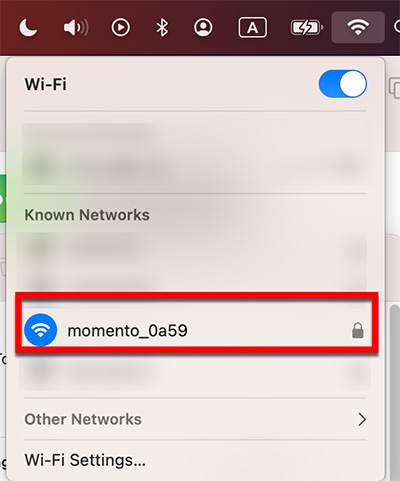
Now go to the Wifi settings on your computer and connect to the network name that shows on the Singer Momento. From this example, the Singer Momento cutter uses the network name "momento_0a59" and so we will want to connect to that and the network password should be
12345678
In the Cut window in Sure Cuts A Lot, set the Connection to TCP/IP (Wi-Fi) and then for the Port, type in the IP address shown on the Singer Momento display.


 Cart
Cart